Taking Your World With You
Everything you write here is yours, and you can take it out whenever you want. MythTapestry saves a world to a single file: the shapes you invented, every character and place and the connections between them, all your prose, your calendars and your timeline.
The file is plain text. You can open it in any editor, keep it in your own backups, hand it to a collaborator, or read it back into a fresh world years from now.
Backing up
Section titled “Backing up”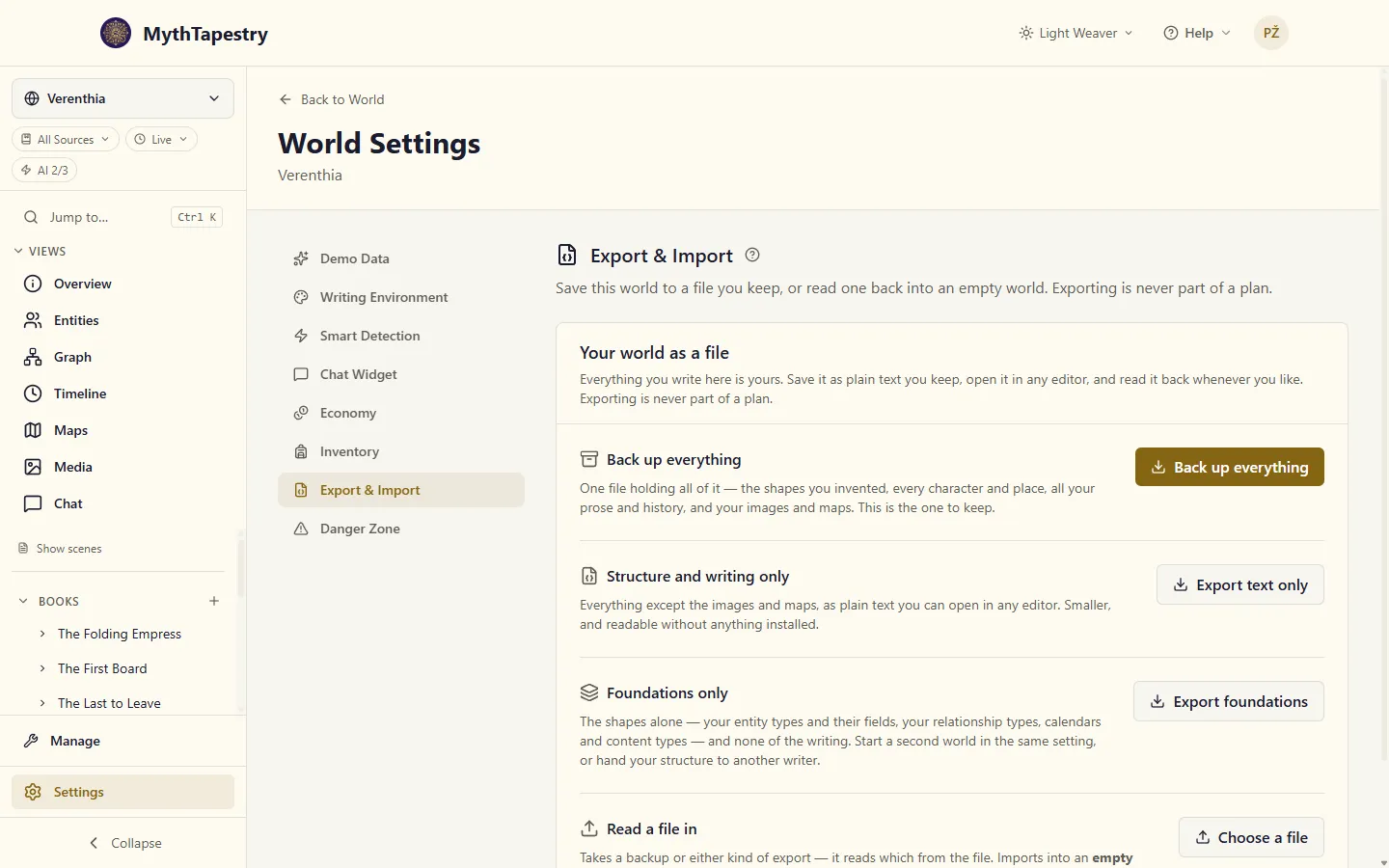
Back up everything is the one to reach for. It gives you a single file holding all of it: the shapes you invented, every character and place and the connections between them, all your prose and history, and your images and maps with the pictures themselves.
-
Open World Settings → Export & Import.
-
Click Back up everything.
-
Your browser downloads a
.zipnamed after your world. Put it somewhere you keep things.
It is one file rather than two on purpose. Your maps and portraits point at the characters and places they belong to, and those links only survive if both halves are saved together — so MythTapestry saves them together and brings them back in the right order without asking you to know why.
The two narrower exports
Section titled “The two narrower exports”Beside the backup are two smaller ones, for when you want less.
Structure and writing only is everything except the images and maps, as plain text. It is much smaller, and you can open it in any editor and read it — useful if you want to see what MythTapestry actually holds, or keep a copy somewhere that only takes text.
Foundations only is the interesting one. It holds the shapes — the entity types you designed, the fields you gave them, the relationship types you added, your calendars and content types — and none of the writing. It is what you want when you have spent a month getting the structure of a setting exactly right and you are about to start a second world in the same universe. You keep the scaffolding and start the story fresh.
Both download as a .json file.
Reading a file back in
Section titled “Reading a file back in”An export goes into an empty world — one you have just created and have not written in yet.
-
Create a new world from your Worlds page. Do not add anything to it.
-
Open its World Settings → Export & Import and click Choose a file.
-
Pick your file — a backup or either kind of export. MythTapestry reads it and tells you what arrived.
You do not have to say which kind of file it is. MythTapestry reads that from the file itself and does the right thing with any of them.
MythTapestry will not import into a world that already has things in it, and this is deliberate. Merging two worlds means deciding what happens every time both sides have a character called Maren, and every possible answer quietly throws away somebody’s writing. To replace a world, delete it first, where you can see what you are losing.
The bits that surprise people
Section titled “The bits that surprise people”Your types come along, even the built-in ones. Every world starts with a set of entity types MythTapestry provides — Character, Location, Faction and the rest. Those travel in the file too, even though any world you import into already has them. It is the difference between a file that works anywhere and a file that only works here. On the way back in, MythTapestry recognises the ones you already have and does not make duplicates.
Everything gets new names underneath. A character in your file is not the same character as the one in the world you exported from — it is a copy, with its own identity. Import the same file twice and you get two separate worlds, not one world confused about itself. This is what lets a file work as a template.
Whoever imports it owns it. The file does not say who wrote it, deliberately: a file you might hand to somebody else should not carry your name and email around inside it. So the account doing the import becomes the author of what arrives. If you are moving your own world this changes nothing. If a friend imports your file, the copy in their world is theirs.
The links between your entities and your writing come with them, but not your unfinished review queue. When you link Maren to the scene she appears in, that link travels — and so does every AI suggestion you accepted. What does not travel is the pile of suggestions you have not looked at yet. Those are a decision waiting to be made, and it should be made once, by the person who knows the world, not inherited by whoever opens the file. If you want suggestions in the imported copy, run detection there and get ones matched against that world’s own settings.
This matters more than it sounds: those links are what canon filtering runs on. A world whose links did not survive the trip would show every character as sitting outside its own canon.
If something cannot be found, you are told. Occasionally a file references something that is not in it — an event pointing at a character who was deleted before the export, say. MythTapestry does not guess. It either leaves that connection empty and lists it under A few things could not be placed, or, when the record cannot exist without it, stops and tells you which one. A world that imported “successfully” while quietly losing its history would be worse than one that refused.
Sharing a foundation
Section titled “Sharing a foundation”The foundations file makes a good gift. If you have built a rigorous magic system as a set of entity types and relationships, or a calendar with real intercalation rules, you can hand that file to another writer and they can start a world with your structure and none of your story in it.
There is nothing extra to set up: it is the same export, and they import it into an empty world the same way.
If your images will not fit
Section titled “If your images will not fit”Restoring a backup uploads its images into your account, which uses your storage allowance. If the backup holds more than you have room for, MythTapestry tells you both numbers and imports nothing — not the images, and not the world either.
That is deliberate. Filling up the space you have and stopping partway would leave you a world that looked finished, quietly missing whichever pictures happened to come last, with the space already spent. Better to say so and let you free some room or move to a plan with more.