
Canons: Curating What Counts
Most worlds outgrow a single version of the truth. Your novel series says the king died in Book 3 — but your side-anthology keeps him alive. Two GM friends run campaigns in the same setting, and neither table’s events should bleed into the other. Or you simply want a spoiler-free view of everything up to Book 1.
A canon is a named answer to “which sources count?” It’s a curated set of your world’s top-level containers — books, campaigns, domains — and when you view your world through it, everything else steps out of the frame.
Canons never copy or delete anything. They’re lenses: switch them on and off freely, keep several side by side, and your underlying world stays whole.
Where to find them
Section titled “Where to find them”Two ways in:
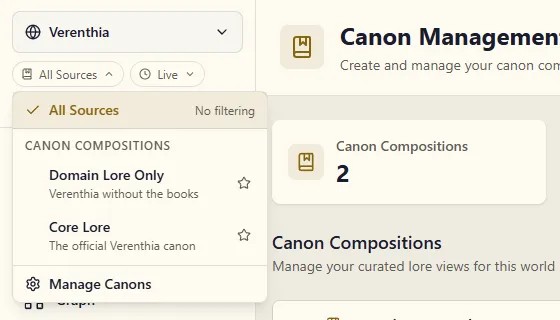
- The source selector at the top of the world sidebar (it reads All Sources until you pick a canon). Open it and choose Manage Canons.
- Manage → Canon in the world sidebar.
Creating a canon
Section titled “Creating a canon”-
On the Canon page, click Create Canon.
-
Name it for what it means, not what it contains — Core Lore, Books 1–3 (no spoilers), Aria’s Campaign Timeline.
-
Click Create. New canons start with every source included — it’s easier to remove what doesn’t belong than to remember everything that does.
-
Expand the canon (click its name, or the chevron beside it) and untick the sources that shouldn’t count. A canon for “the novels only” would drop your campaign and worldbuilding domains here.
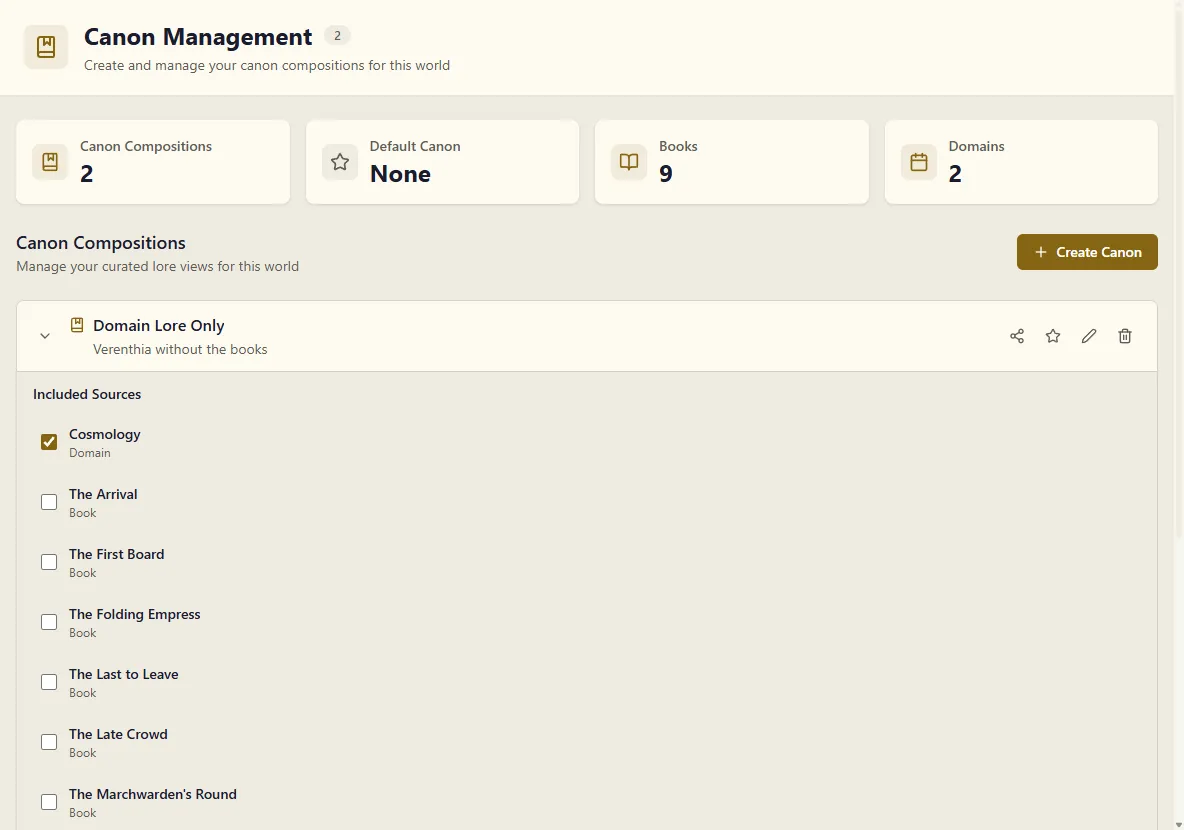
You can rename a canon or rewrite its description any time with the pencil icon, and re-curate its sources whenever your world grows — new books don’t add themselves to existing canons, so revisit after big additions.
Viewing your world through a canon
Section titled “Viewing your world through a canon”Pick a canon in the source selector and the filter follows you around the world:
- The entity list hides characters, places, and events that only appear in excluded sources. Entities that stay because they aren’t linked anywhere yet carry a Not in canon badge.
- The graph redraws to the canon: entities from excluded sources disappear, along with their relationships — they can’t even act as hidden bridges between two included entities.
- Chat with your world answers from the selected canon only. Ask about a character who exists only in an excluded campaign and the assistant genuinely won’t know them.
While a canon is active, the source chip in the sidebar turns gold and names it, and a strip across the top of the page reminds you. On a map, where the page has no height to spare, the reminder floats in the corner instead.
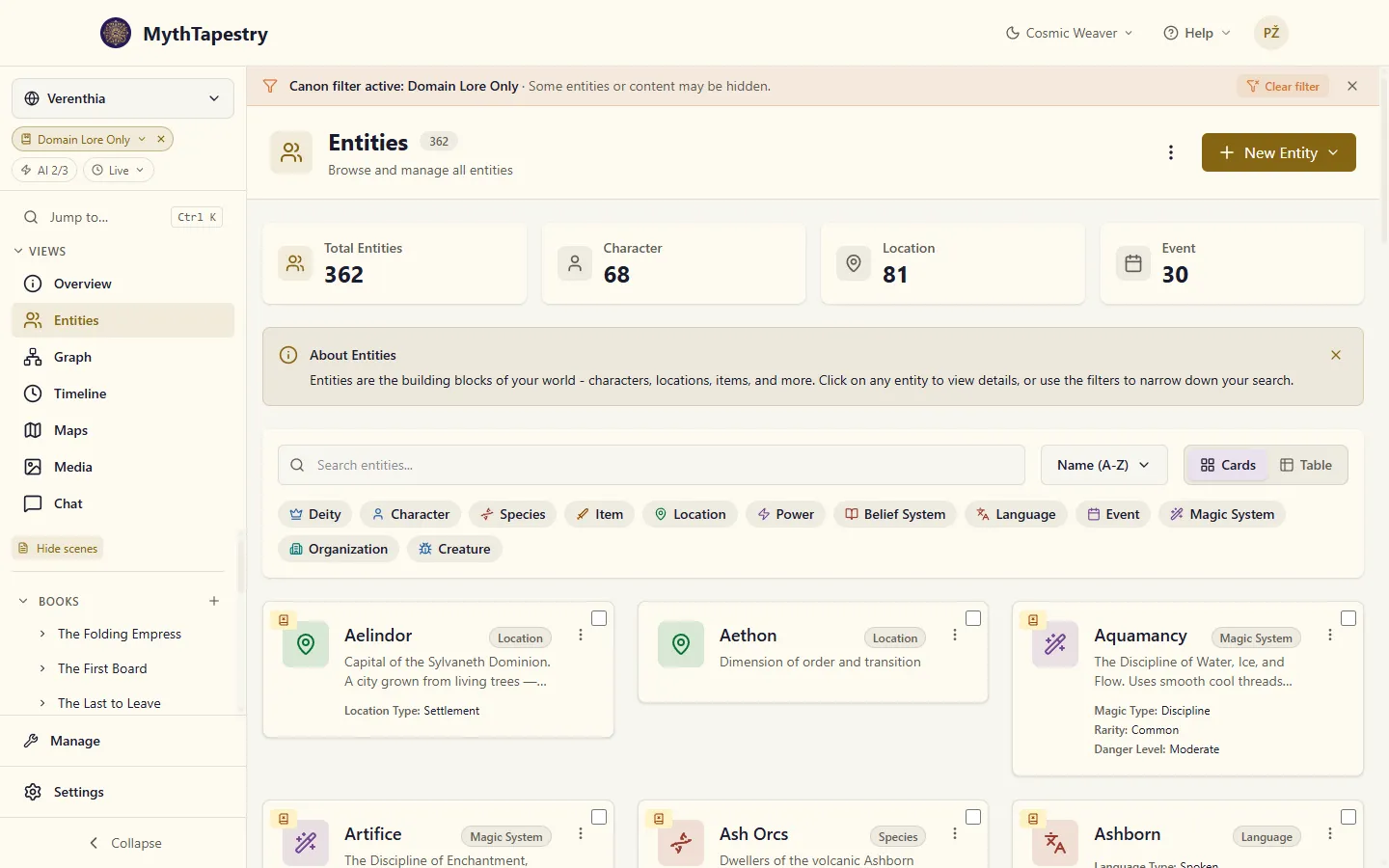
Dismiss it with the × — the filter stays on (the selector still shows which canon you’re in) — or hit Clear filter to go back to seeing everything.
How MythTapestry knows where an entity “appears”
Section titled “How MythTapestry knows where an entity “appears””The connection between entities and sources is made by the entity links in your writing. When a scene links to Queen Elara (typed by hand or a confirmed AI suggestion), Elara is known to appear in that scene’s book — and any canon including that book includes her.
Two consequences worth knowing:
- Confirmed links are what count. Unconfirmed AI suggestions don’t place an entity in a source. If a character seems missing from a canon they should belong to, check that their mentions are confirmed in the editor.
- Entities with no links anywhere never disappear. A character you created by hand and haven’t written about yet shows up in every canon view, marked as outside canon — hiding them entirely would make them impossible to find and link.