
World Timeline
The world timeline lets you put several entities on one shared time axis as parallel tracks. It’s the view to reach for when you want to compare: lifespans, alliances, who was alive at the same time as whom, what was happening during a war.
Open it from the world sidebar via Timeline.
Picking entities
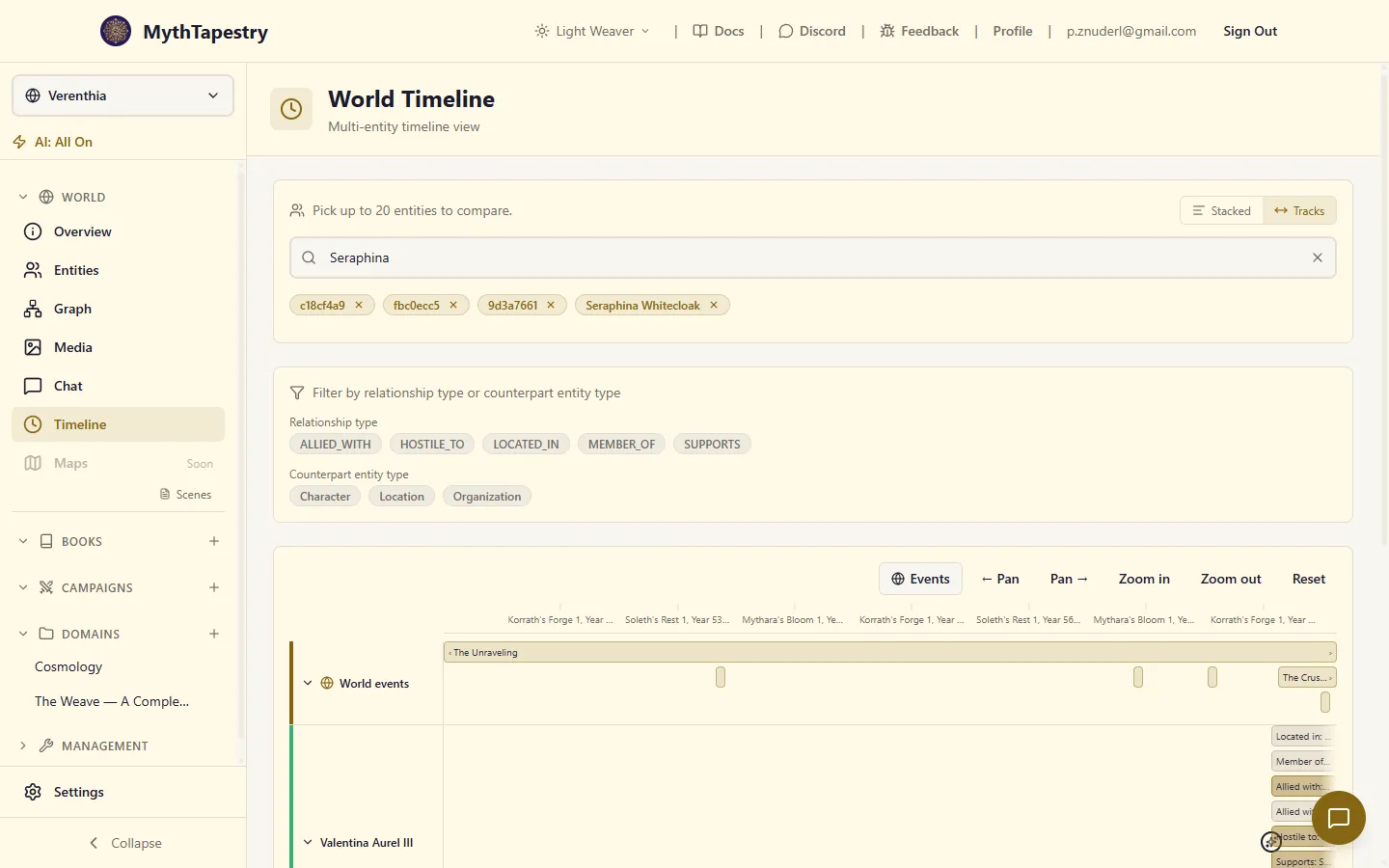
Section titled “Picking entities”The page starts with a picker. Search for the entities you want, click to add them to the selection (up to 20). Each selected entity becomes its own track on the timeline below.
Removing an entity is the X next to its chip in the picker. The track disappears with it.
Two layouts
Section titled “Two layouts”Stacked view
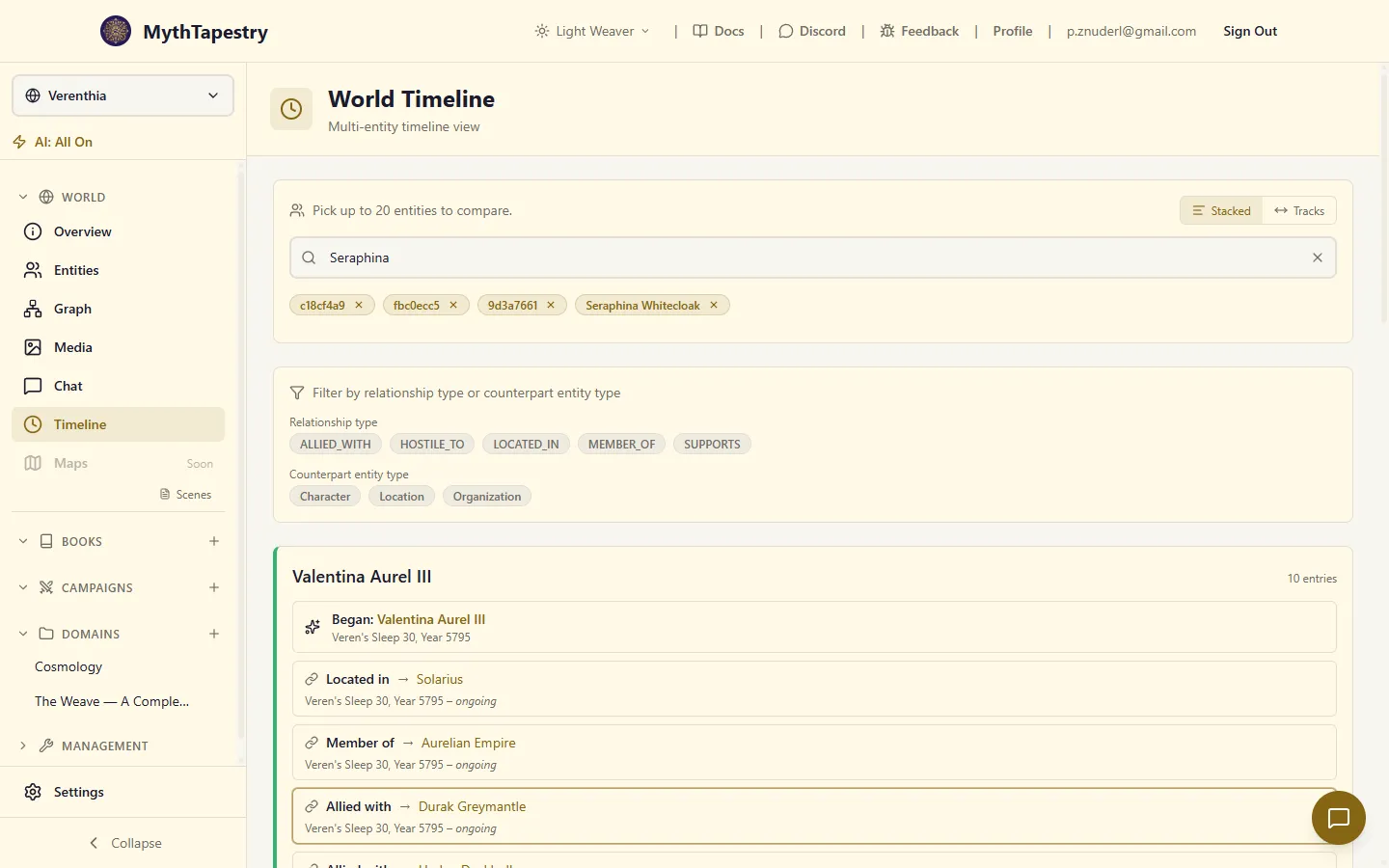
Section titled “Stacked view”A simple vertical list — for each selected entity, all their life events and relationships shown one after another, with the entity’s name as a small header above each block. Best for reading down through what each entity went through, one at a time.
Tracks view
Section titled “Tracks view”The comparison layout. Each entity gets its own horizontal track with a label on the left and a time-axis lane on the right. All tracks share the same ruler at the top, so a relationship in track 1 lines up visually with whatever was happening in track 2 at the same moment.
This is the view for spotting overlaps, sequencing, simultaneity. “Were Solus and Caelindra both alive when the Theocracy fell? Yes — here, you can see it.”
Track features (Tracks view)
Section titled “Track features (Tracks view)”Each track has:
- A coloured bar on the left — deterministically generated from the entity’s ID, so the same entity always gets the same colour across visits and across worlds where you reuse names.
- A label — the entity’s name. The label column is fixed-width on the left.
- A chevron to collapse the track. Collapse keeps the entity selected but hides its lane to free up vertical space. The collapsed state persists per-world, so coming back tomorrow you’ll find the same tracks open.
- A lane showing the entity’s relationship spans and life-event markers, just like on the entity timeline’s horizontal view.
Relationship spans pack into rows automatically — overlapping relationships stack into separate rows rather than fighting for one strip. A character with five simultaneous alliances gets a taller track than one with five sequential ones.
The World events track
Section titled “The World events track”Above all the entity tracks is a World events track. Same axis, same scale, but reserved for world events — battles, cataclysms, festivals.
Use it to anchor entity activity against world history. “Did this rebellion happen during The Unraveling? Look up.” The events track has the same chevron-collapse and toolbar Events toggle as on the entity timeline.
Click any event bar to open its details in the right rail.
Panning, zooming, and the toolbar
Section titled “Panning, zooming, and the toolbar”The horizontal axis works the same as in the entity timeline’s horizontal view:
| Action | How |
|---|---|
| Zoom in / out | Ctrl + scroll anywhere on the timeline |
| Pan back and forth | Click and drag the timeline surface |
| Jump back to full range | Reset button in the toolbar |
| Hide / show world events | Events button (state persists) |
The viewport starts framed on whichever entities you’ve picked — if all your selected characters lived in roughly the same century, you’ll open into that century, not the world’s full span.
Cross-track highlighting
Section titled “Cross-track highlighting”When you select two or more entities and one of them has a relationship with another (also selected), that relationship’s bar gets a brighter accent colour to call it out. So if Solus’s ALLIED_WITH Caelindra and you’ve got both on the timeline, the bar on Solus’s track that points at Caelindra reads visually distinct from his other alliances.
This is how you spot “these two were connected” without having to read every label.
Clicking entries
Section titled “Clicking entries”Same drawer behaviour as on the entity timeline:
- Click a relationship span → details, Edit, Delete.
- Click a life-event icon → entity details, View, Edit, Delete.
- Click a world-event bar → event details, Edit, Delete.
One drawer at a time. Selecting a different entry replaces what’s shown.
Common questions
Section titled “Common questions”An entity I selected isn’t showing a track.
The track is there but its lane is empty — meaning the entity has no life events with dates and no relationships with valid from filled in. Add a start date to the entity or temporal bounds to a relationship and reload.
The tracks are all crammed together. Try Ctrl + scroll to zoom in, or collapse some tracks via the chevron. If the issue is that every entity covers the entire world history, the axis is showing everything by necessity — pick a narrower set of entities and the auto-fit will tighten.
I want to compare more than 20 entities. The cap is intentional — beyond 20 tracks the comparison stops being readable. Split the question into multiple sessions (rivals, then allies, then bystanders) or use the graph view for high-level whole-world structure.