
Organising Your Entity Types
Every world starts with its entity types sorted into seven groups: Core Types, Story & Genre, Power & Magic, Economy & Trade, Culture & Society, Sci-Fi & Technology, and Custom Types. Groups decide three things: how your types are clustered in the New Entity menu, how the graph’s type filter is bucketed, and the order the cards sit in on this page — so a group you move to the top is at the top everywhere you meet it. You can also search this page by group name: type “Power & Magic” and you get the types in it. They’re yours to rearrange — rename a group, reorder them, move a type between them, add a group of your own, or delete one — and every change is scoped to this one world.
Where to find them
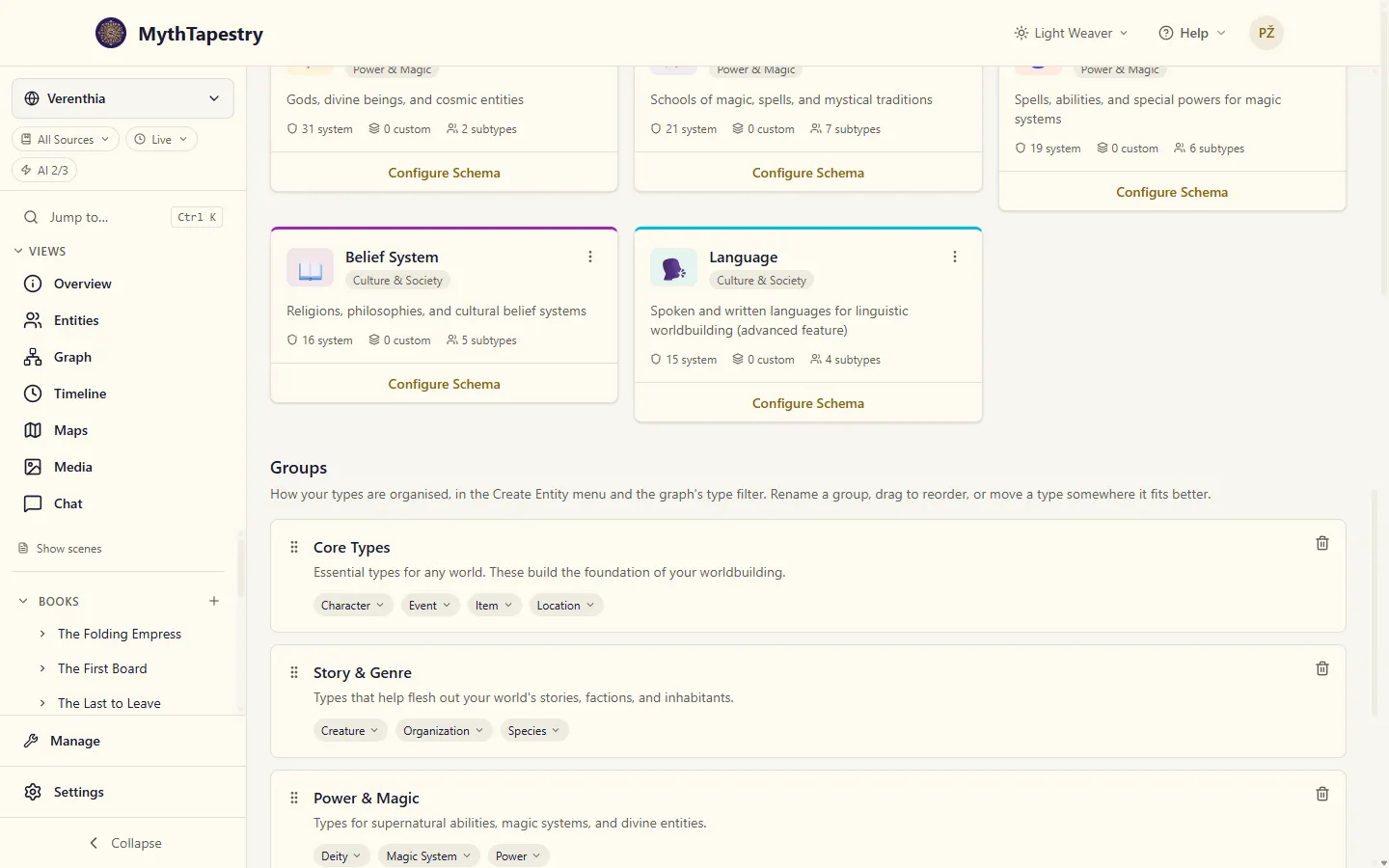
Section titled “Where to find them”Open Manage → Entity Types, then scroll down to the Groups section below the type list.
What you can do
Section titled “What you can do”- Rename a group or give it a description. Click a group’s title or description to edit it in place.
- Reorder groups. Grab the handle on the left of a group and drag it up or down.
- Move a type to another group. Click the arrow beside a type’s chip and pick the group it belongs in.
- Add a group of your own. Click Add group at the bottom of the list and give it a title.
- Delete a group. Click the trash icon on its card and confirm.
What deleting does
Section titled “What deleting does”The group goes, and its types move to Custom Types. Nothing is deleted, and no entity is touched — this only changes where a type is filed, not what it is.
Custom Types
Section titled “Custom Types”Every type that hasn’t been sorted into one of your groups lives here, including every custom type you create yourself. Custom Types can’t be deleted, because it’s where things land — delete every other group and everything still has a home.
The four core types are always on
Section titled “The four core types are always on”Characters, locations, events, and items are the foundation every world needs, so they can’t be switched off. You can move them into another group if that suits how you think about your world — a Character type sitting in a group you called “Cast” is exactly as functional as one sitting in Core Types.
A worked example
Section titled “A worked example”Say you’re running a naval campaign world. The built-in groups don’t have anywhere that feels right for your fleets, so:
- Open Manage → Entity Types and scroll to Groups.
- Click Add group, and title it Ships & Fleets.
- Create a custom entity type called Warship — by default a new custom type starts out in Custom Types, though the creation form lets you pick a different group up front.
- Click the arrow beside Warship and move it into Ships & Fleets.
- Do the same with Trade Route, moving it out of Economy & Trade and into Ships & Fleets.
Now your entity type list shows Warship and Trade Route together under Ships & Fleets, and the graph’s type filter offers them as one bucket — handy when you want to toggle every ship-and-shipping-lane entity on or off at once.
What groups are not
Section titled “What groups are not”Groups are purely about how your types are organised for you. Moving a type between groups, renaming a group, or deleting one never changes what the type actually is — its fields stay the same, and so do the entities and relationships built from it.