
Timeline Overview
Timelines turn the relationships and life events you’ve already recorded into a chronological picture. You don’t enter timeline data separately — the timeline draws what’s there: when relationships started and ended, when characters were born and died, when world events occurred.
Two views, depending on what you’re trying to see:
-
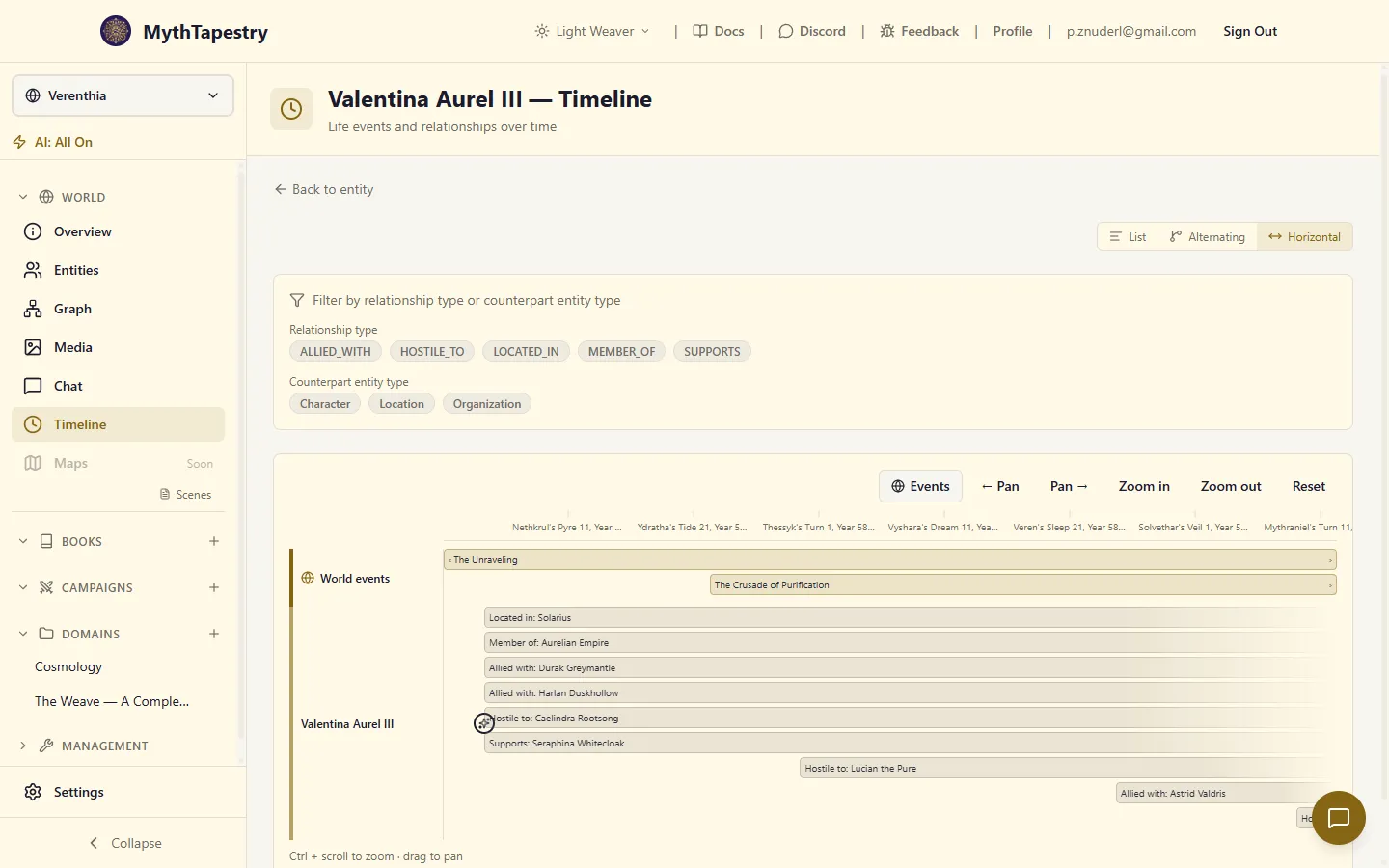
Entity timeline — one focal character, organisation, or place, with everything that involved it.
-
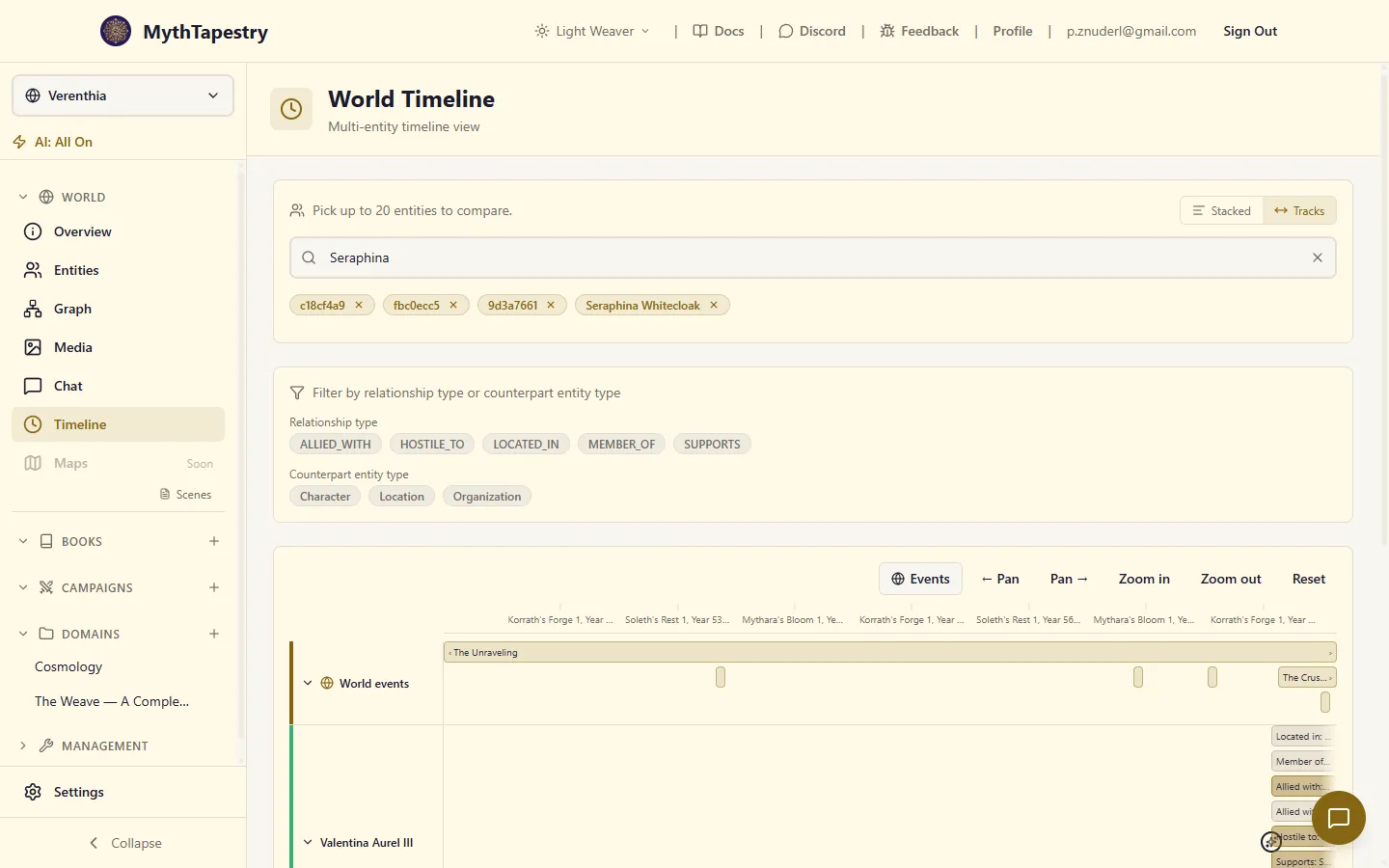
World timeline — several entities side by side as parallel tracks, so you can see who was alive at the same time, when alliances overlapped, when paths crossed.
When you’d use each
Section titled “When you’d use each”| You want to … | Open the … |
|---|---|
| Read through a single character’s life as a story | Entity timeline (Alternating view) |
| Check what relationships a faction had at a given moment | Entity timeline (Horizontal view) |
| Compare two characters’ lifespans and see where they overlapped | World timeline with both selected |
| Spot which alliances were in force during a specific war | World timeline with the relevant nations selected |
| Place a world event next to the lives it touched | Either view — world events appear in both |
What shows up
Section titled “What shows up”Three kinds of things land on a timeline:
- Life events — when an entity began existing (born, founded, awakened) and when it ended (died, dissolved, was destroyed). These come from the start/end dates on the entity itself.
- Relationships — the period during which a relationship was valid, from
valid fromtovalid until. A relationship without an end date is shown as ongoing. - World events — battles, coronations, plagues, anything you’ve recorded as a world event. They appear in their own track at the top of the horizontal view so you can see them alongside the entities they affected.
Where to open them
Section titled “Where to open them”- Entity timeline: Open any entity, click the Timeline tab. The full-page version (better for serious scrolling) is one click away via “Open in dedicated view →” in the top-right.
- World timeline: Click Timeline in the world sidebar.
Reading dates
Section titled “Reading dates”Every date on a timeline is formatted in your world’s calendar — “Mythara’s Bloom 1, Year 4823” rather than some real-world Gregorian rendering. If you’ve set up multiple calendars, the dates render in whichever calendar each entity or event was recorded against. (See Calendar creation for how that works.)
The ruler at the top of the horizontal view picks meaningful tick intervals automatically: years when you’re zoomed out across centuries, months when you’re zoomed into a single decade, days when you’re zoomed in tight. Tick labels truncate when they’d overlap — hover any tick to see the full date.
Next steps
Section titled “Next steps”- Set up an entity timeline for one focal character or organisation.
- Use the world timeline to compare multiple entities at once.
- If your timeline is missing things, see the section on what shows up above — most blank timelines come down to missing dates on the source data, not a problem with the timeline itself.